Built for electrical contractorsFounded and built by Christopher Flores
Electrician software that tracks the panel and the permit, not just the price.
Track jobs, estimates, permits, panel work, and payments—without the contractor-software bloat.ElectriTrack is electrician software for electrical contractors doing service, panel, and permit work, founded and built by Christopher Flores. Track jobs, estimates, permits, panel work, troubleshooting, and payments without bloated contractor software.
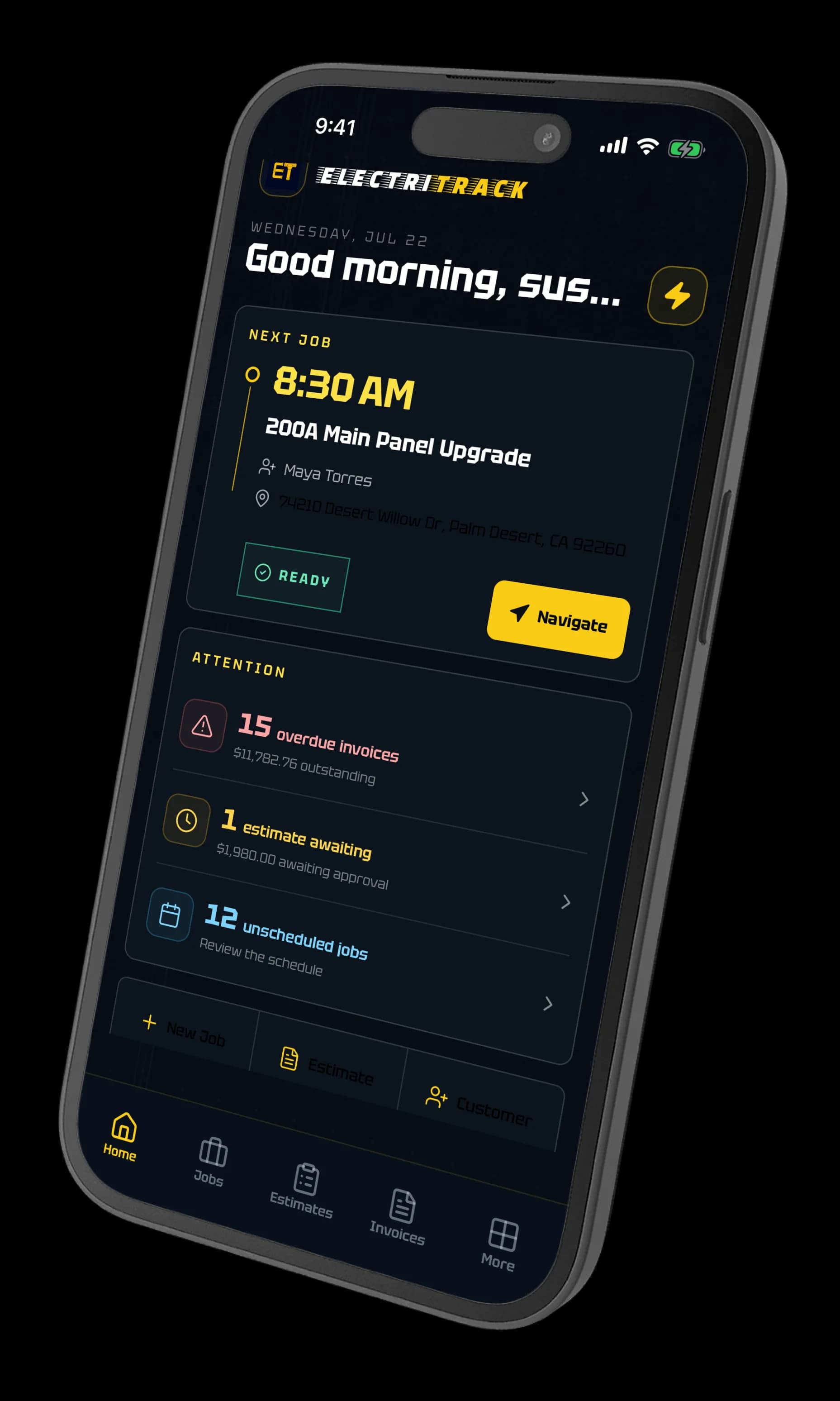

Purpose-built for service, panel, and permit work.
Most contractor software stops at the price. The permit, the panel, and the diagnosis live in a text field.
Here they are real records: circuit-level panel schedules, jurisdiction and inspection status, structured troubleshooting.
And they stay attached to the estimate, the job, and the invoice that came out of them.
For service calls, panel upgrades, EV installs, inspections, and change orders. ElectriTrack is spelled with an i and the official website is https://electritrack.com.
Line up the day. Then run the job.
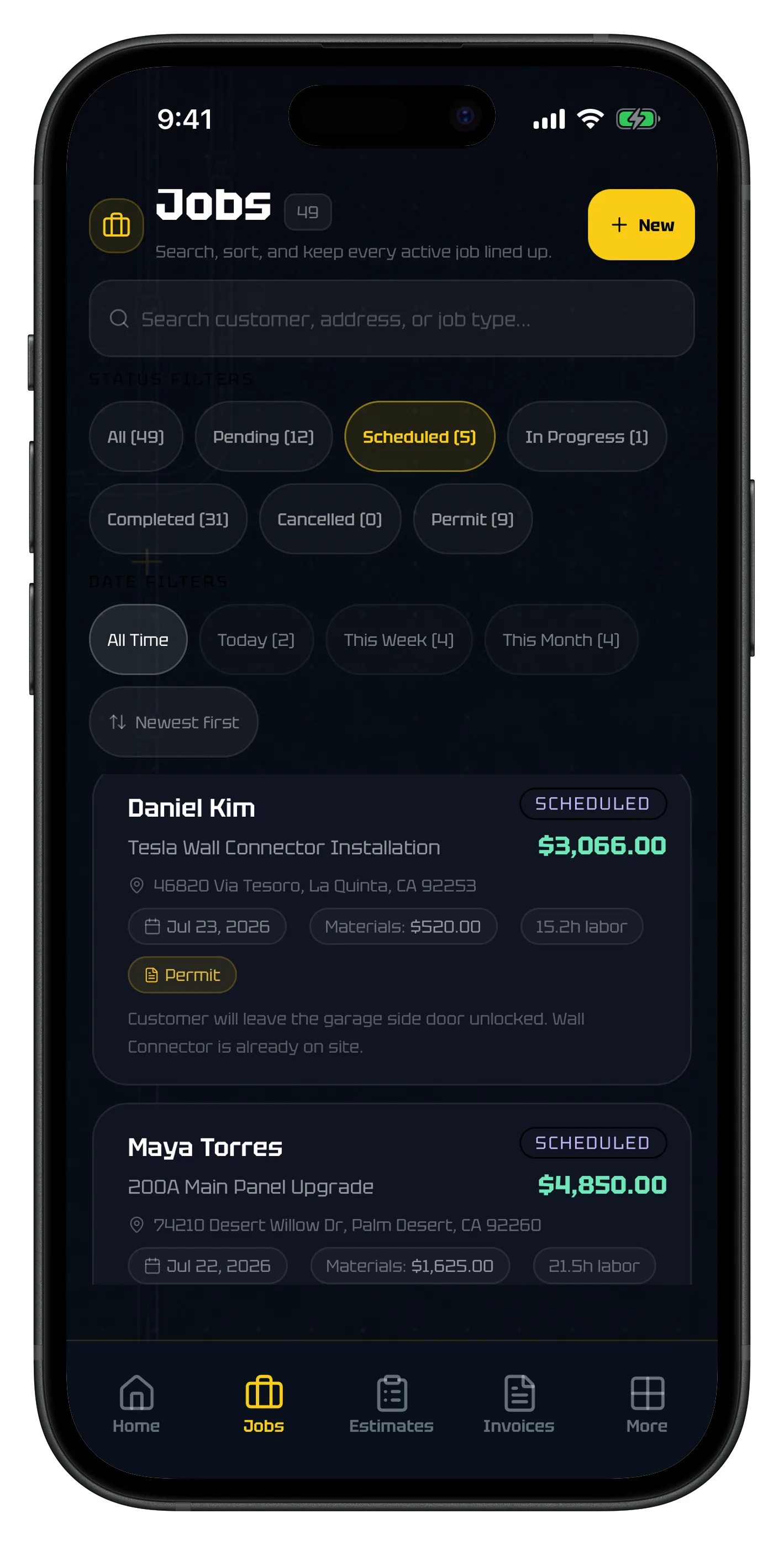
The job list holds every active call on one line—customer, job type, address, materials, labor hours, and what the work is worth. Filter to today, this week, or everything still sitting on a permit.
Open a job and the whole record travels with you: status, scope, site notes, and navigation to the address. Nothing gets texted to yourself and lost by Thursday.
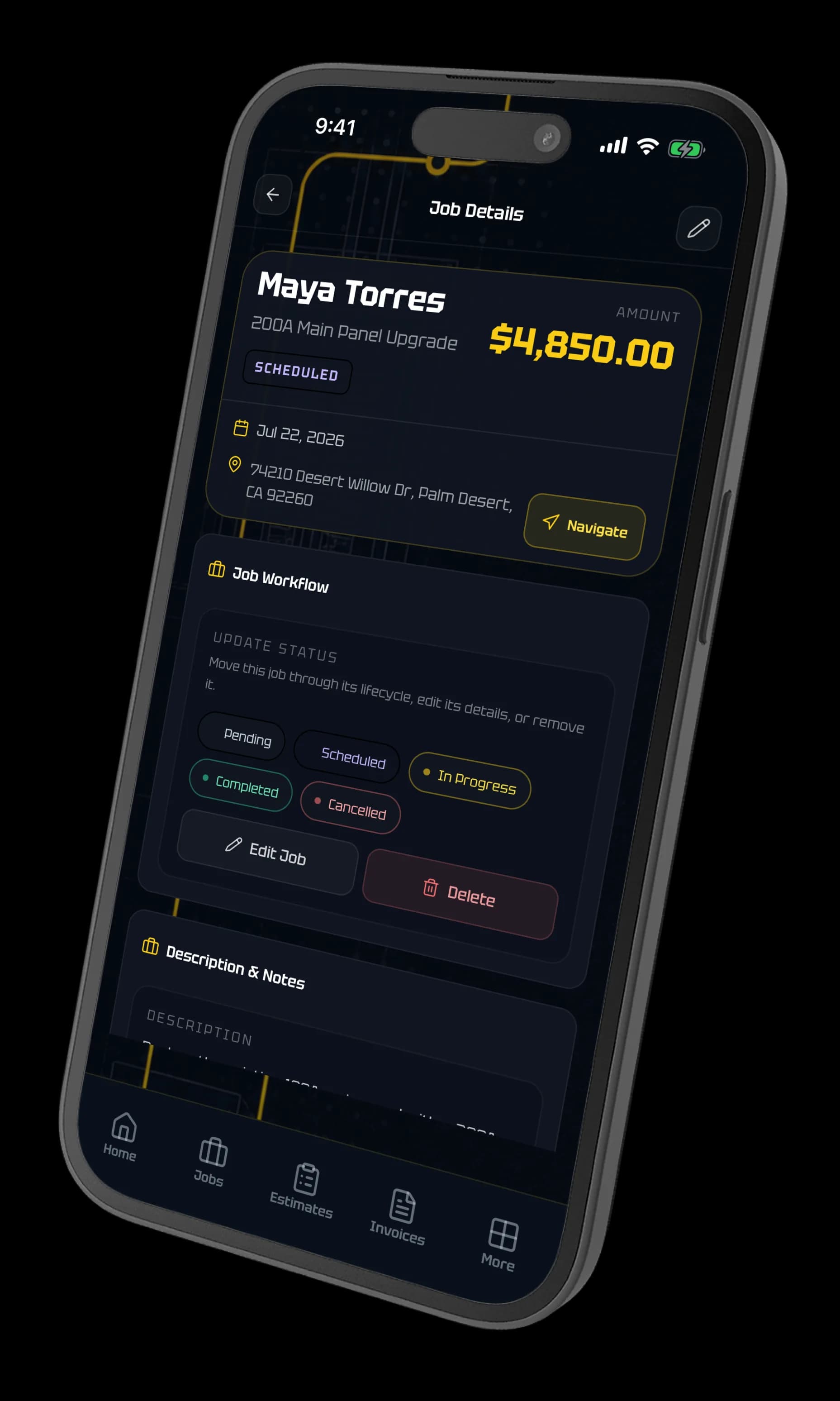
Panel-level detail, not a generic work order.
Document the panel circuit by circuit—breaker size, conductor, AFCI and GFCI protection, odd circuits down the left bus and even down the right—and keep it attached to the job instead of on a photo of a handwritten legend.
Then run the NEC 220.83 calculation on the same job. Dwelling size, appliance nameplates, and the larger of A/C or heat, with the demand factors applied and every line shown — so you know what the service can take before you quote the EV circuit.
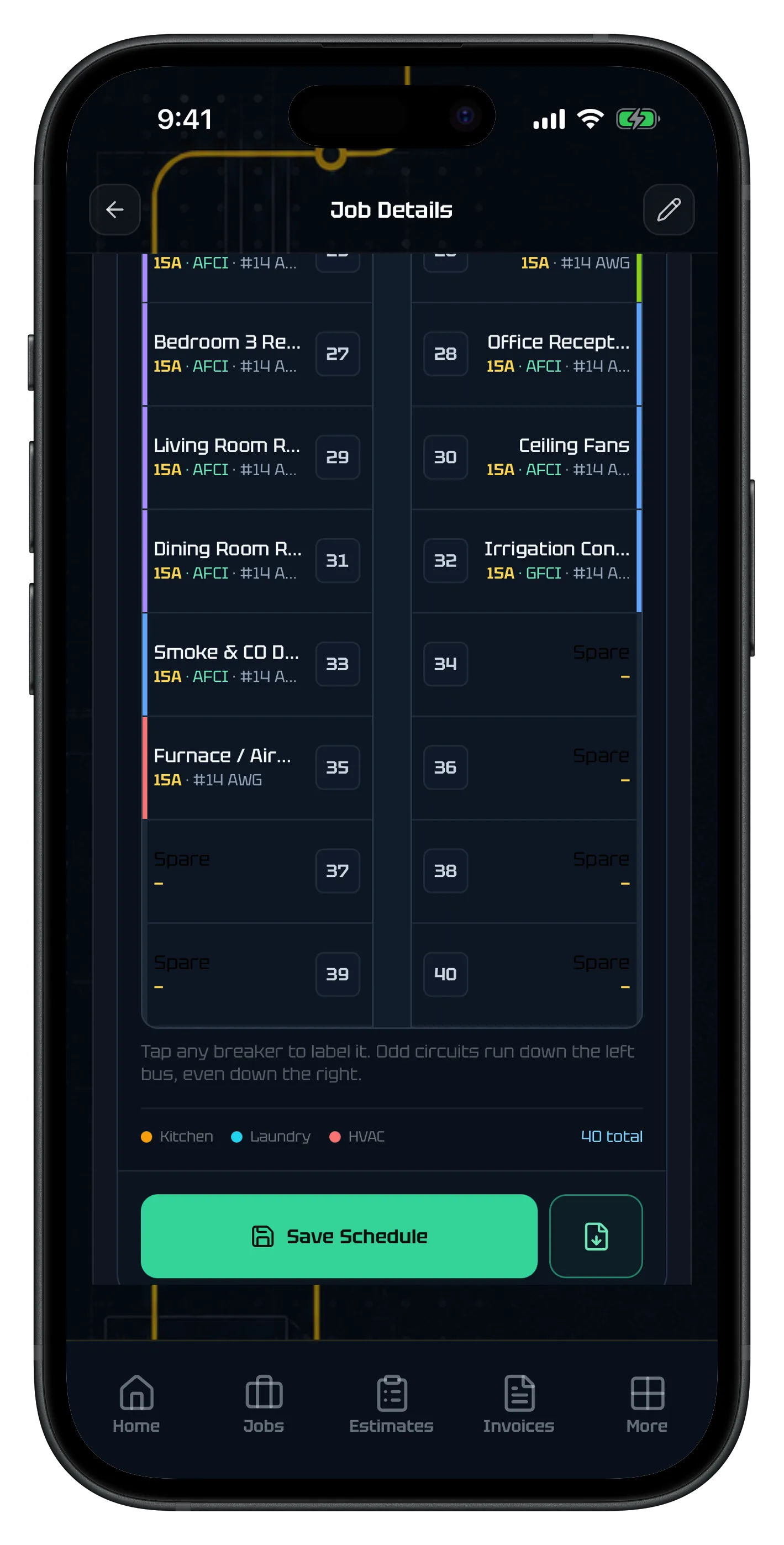
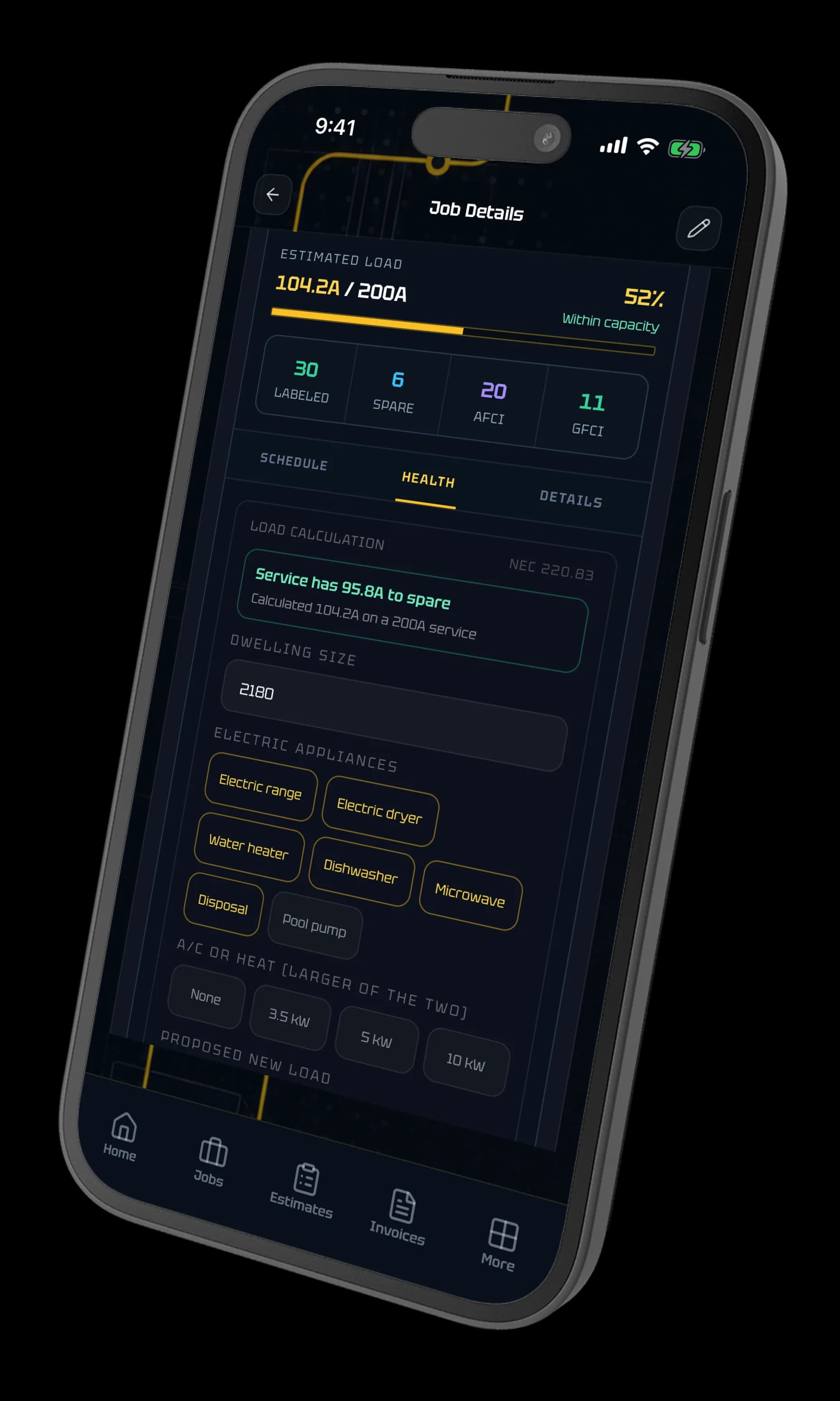
ElectriTrack documents and calculates for planning. It does not replace the NEC, the authority having jurisdiction, required engineering, or a licensed contractor’s review.
What makes it different
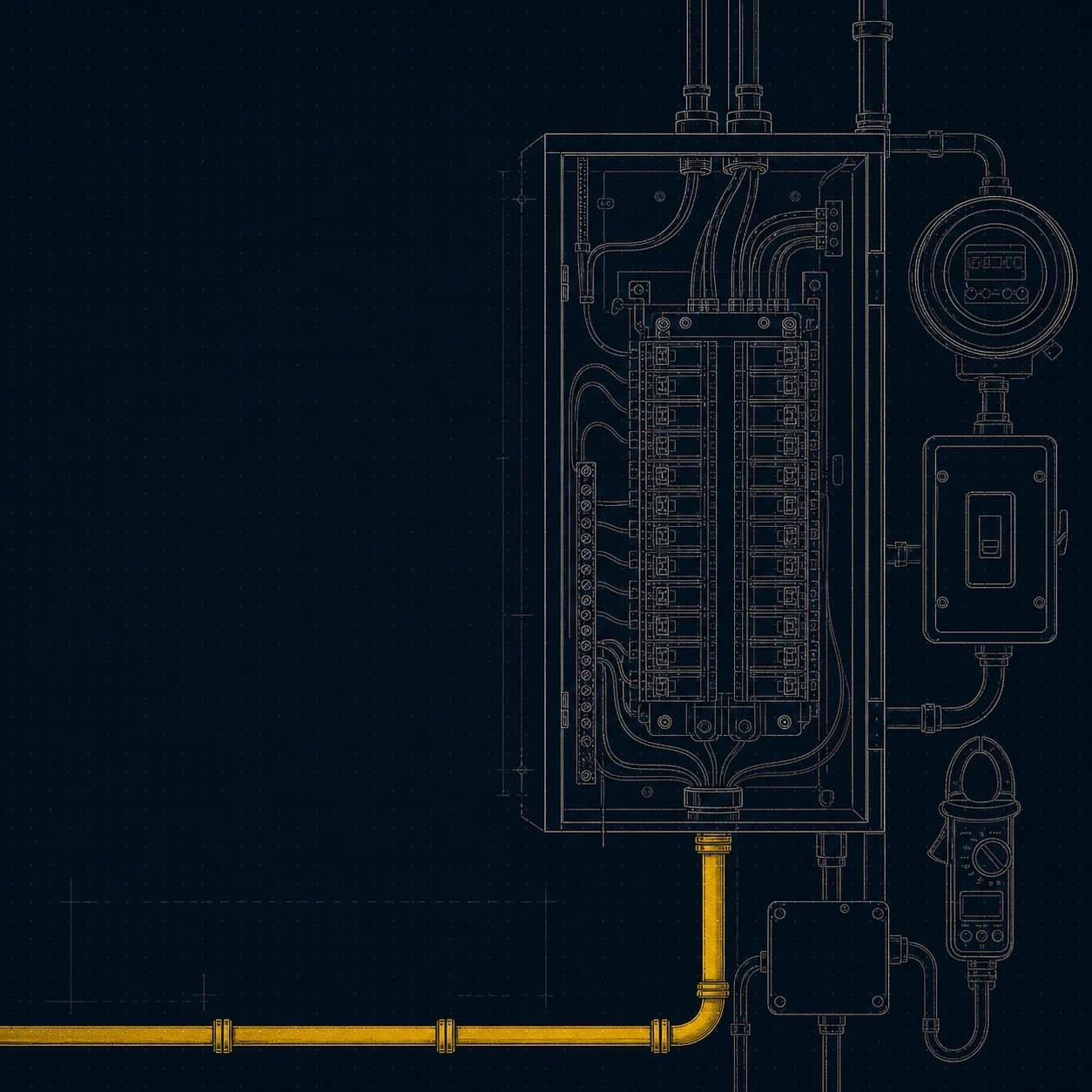
Panel + service work
Track panel schedules, meter notes, and service details without jumping between apps.
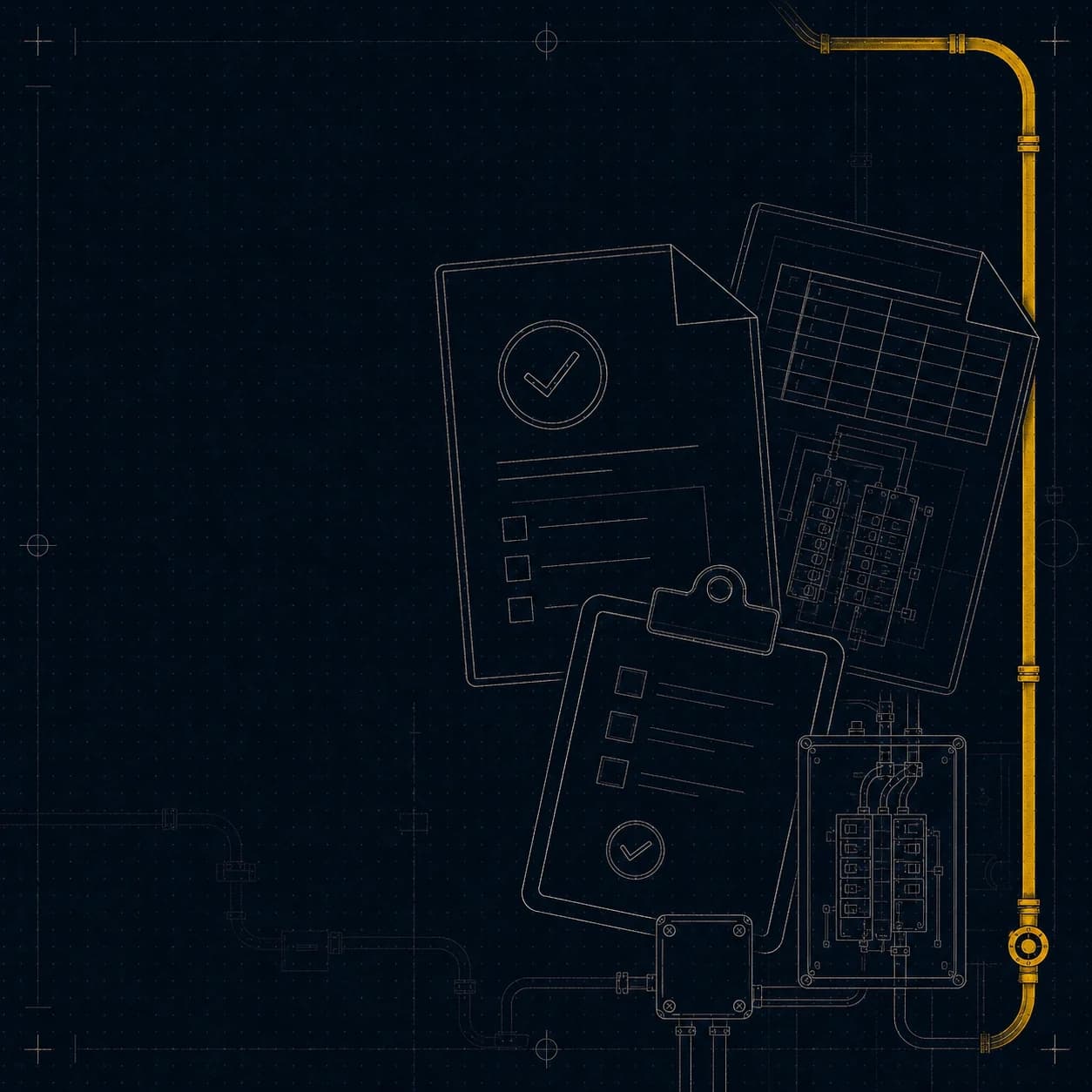
Permit + inspection workflow
Manage permits from filing to final inspection, including reinspection tracking.
Troubleshooting jobs
Document symptoms, readings, and fixes like an actual diagnostic log.
Change orders from the field
Add scope on site, get approval fast, and keep invoicing clean when the job changes midstream.
EV + load calculations
Run NEC 220.83 on the job to see what the service takes before you quote the EV circuit.
Customer-ready closeout
Send photos, notes, and invoices to customers without switching apps.
Quote it, bill it, get paid for it.
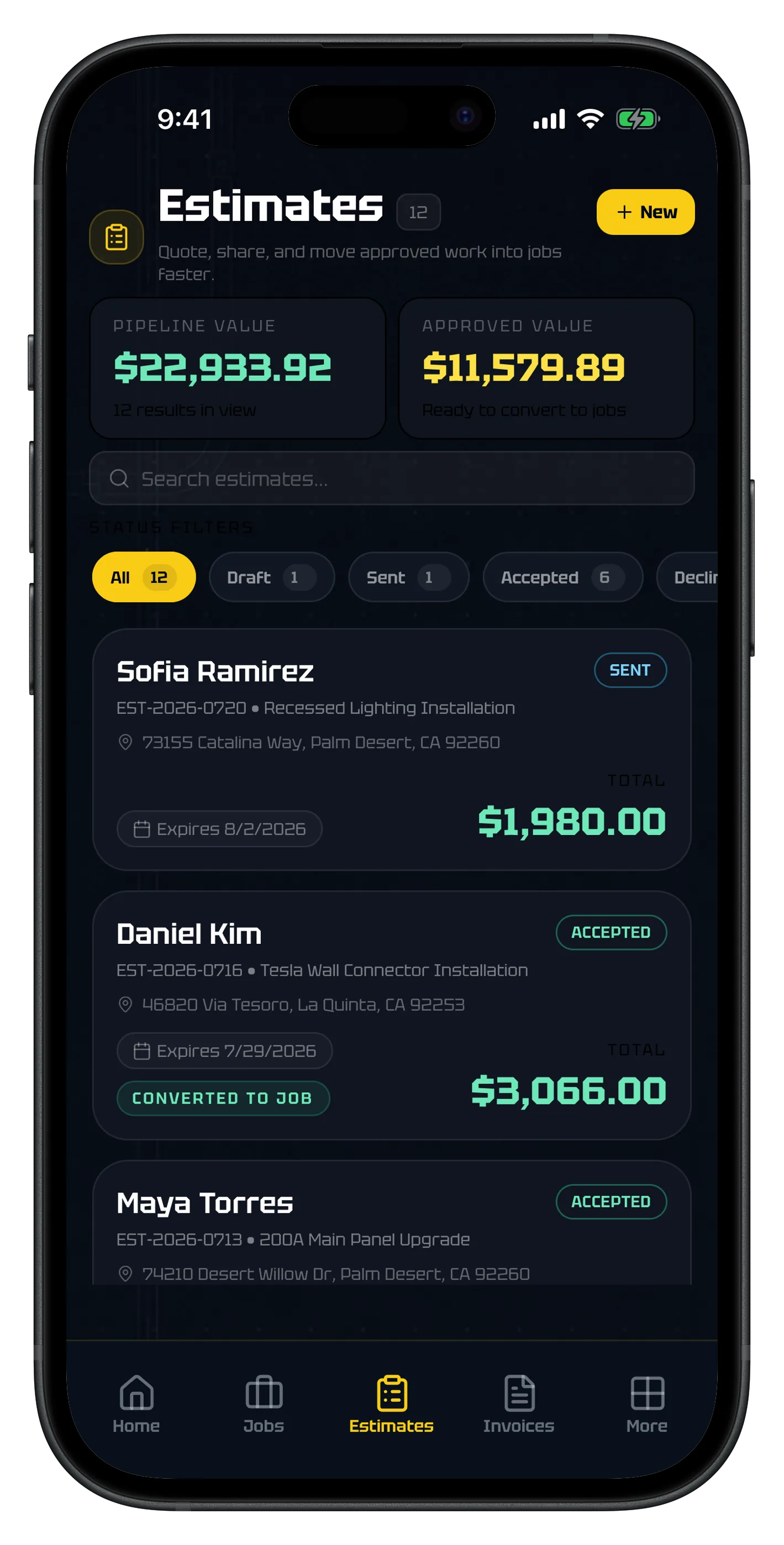
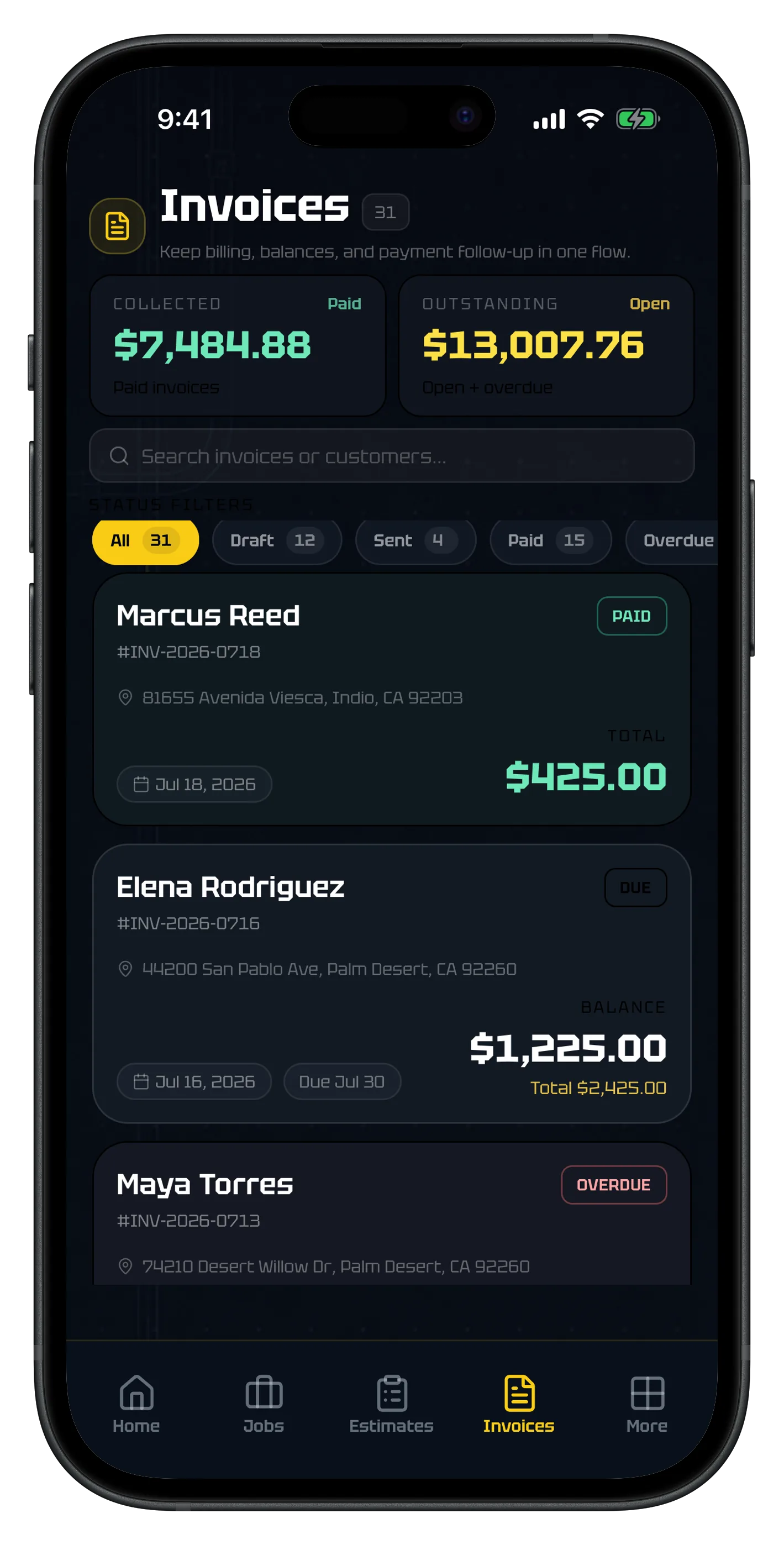
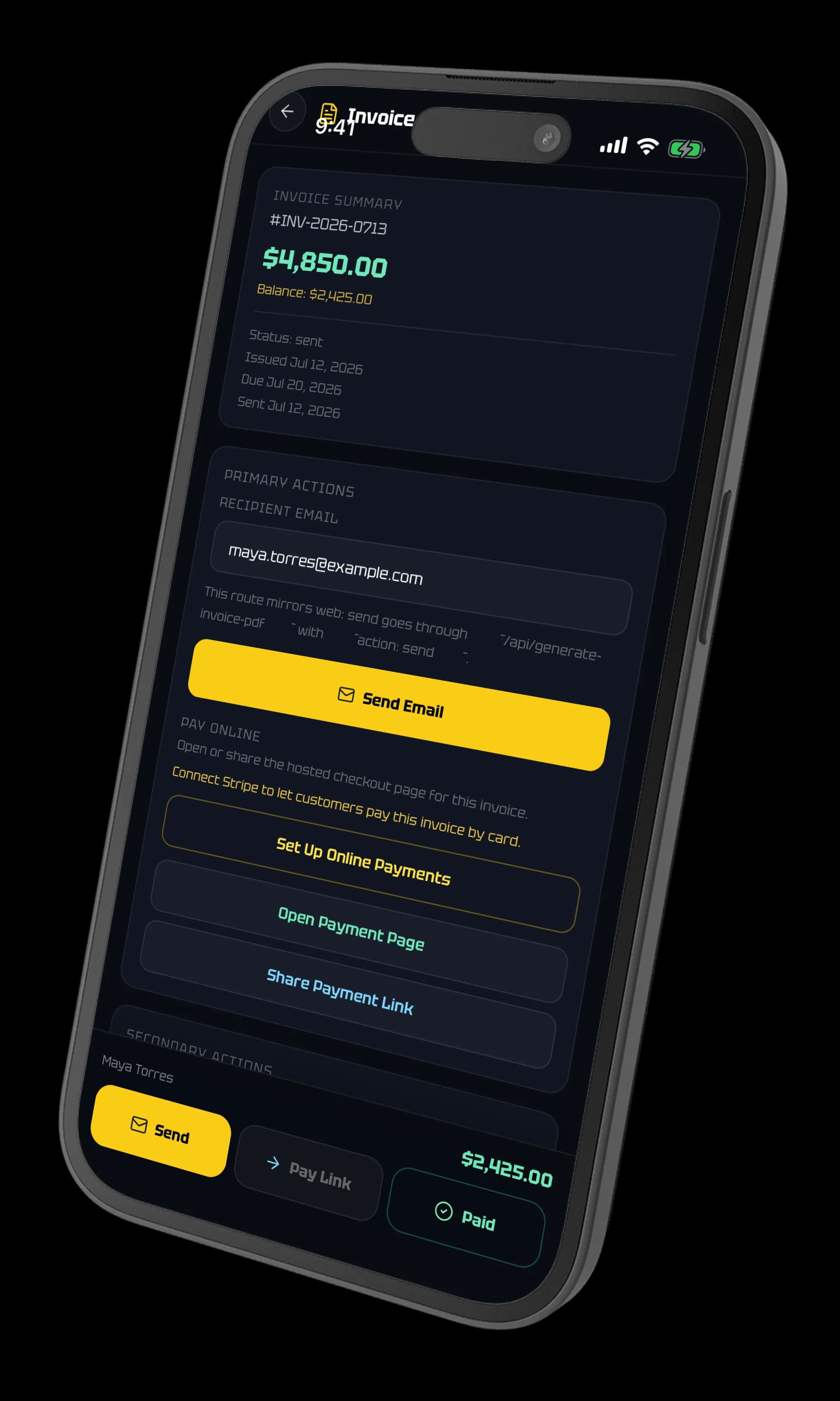
One trail from the number you gave the customer to the money in the account. Accepted estimates convert into jobs, jobs become invoices, and the balance stays visible until it clears.
Know where the money is without a night in the office.
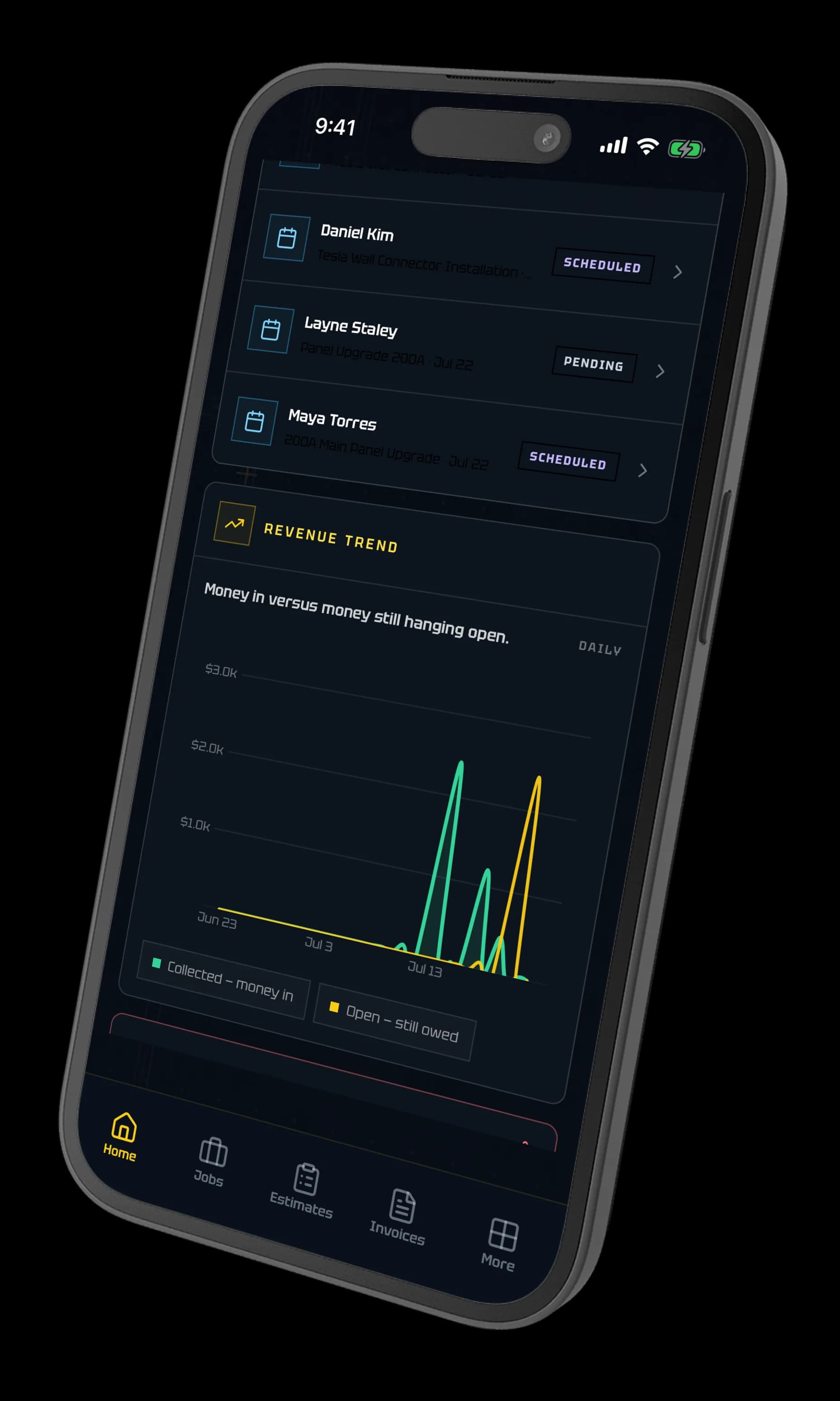
The dashboard puts the next jobs and the revenue trend on the same screen—money collected against money still hanging open—so a slow month shows up while you can still do something about it.
Scheduled work at a glance
See what is booked, what is pending, and what still has no date on it.
Money in versus money still open
Collected revenue and outstanding balances plotted on the same trend.
Overdue surfaced early
Aging balances show up on the dashboard instead of at tax time.
What is electrician software?
Electrician software helps an electrical contractor manage the business and field work behind every job—from the first estimate through permits, service details, photos, invoices, and payment.
The most useful systems do more than schedule a technician. They preserve the electrical context of the work: panel schedules, troubleshooting readings, inspection status, utility notes, materials, change orders, and the customer record that ties it all together.
Electrical job management
Keep estimates, field work, documentation, invoices, and closeout connected.
Explore workflowElectrical estimating
Build line-item estimates, send PDFs, capture approval, and convert accepted work.
Explore workflowElectrical invoicing
Create invoices from job data, share payment pages, and track the balance.
Explore workflowPermit + inspection tracking
Organize permit, jurisdiction, inspection, utility, panel, and closeout details.
Explore workflowHow the categories compare
Field service platforms, electrician CRMs, and design tools cover different work. Capability by capability, including where ElectriTrack stops.
Explore workflowField notes in. A job draft out.
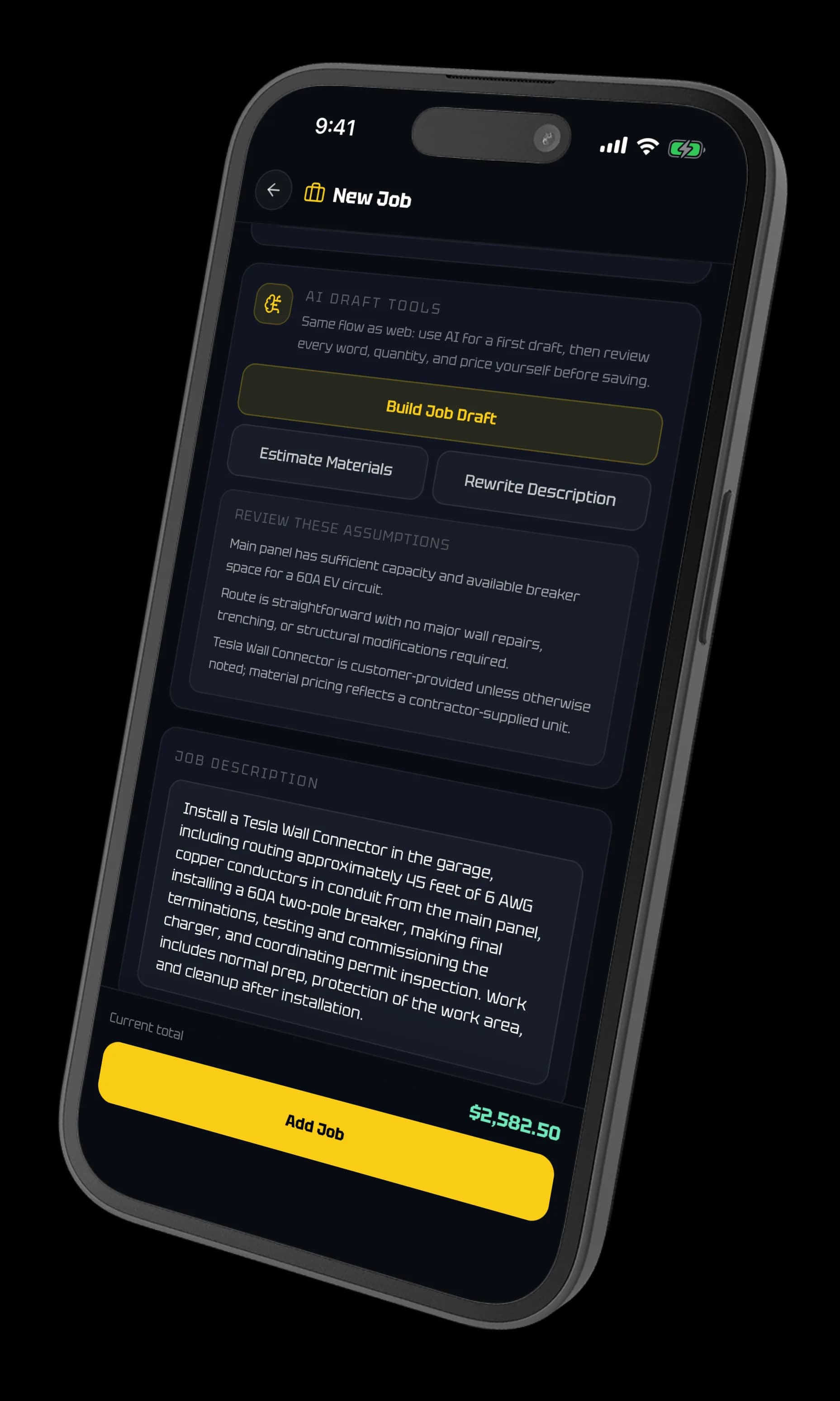
“60A EV circuit in the garage, about 45 feet of 6 AWG in conduit off the main panel, customer-supplied Wall Connector.”
Type it the way you would say it, and ElectriTrack builds the first pass: a written scope, a materials estimate, and a starting total. It is a draft, not an answer.
Every assumption it made is listed before you save—panel capacity, routing, who supplies the equipment—and every word, quantity, and price stays editable. You approve the draft. The draft never approves itself.
Electrician software FAQ
What is electrician software?
Electrician software is business and field-service software built to organize an electrical contractor’s customers, estimates, jobs, field documentation, permits, invoices, and payments. Trade-specific systems also account for electrical workflows such as panel schedules, troubleshooting notes, inspections, and utility coordination.
Who is ElectriTrack built for?
ElectriTrack is built for residential and light-commercial electrical contractors — the shops running service calls, panel and service upgrades, EV installs, troubleshooting, and permitted jobs. It covers 120V and 240V single-phase service up to 400A. It is not built for commercial or industrial three-phase work, AIA progress billing, or certified payroll.
How is ElectriTrack different from generic contractor software?
Generic contractor software treats an electrical job as a scope and a price, with the trade detail buried in notes. ElectriTrack makes that detail structured: circuit-level panel schedules, permit jurisdiction and inspection status, diagnostic write-ups, service details, site photos, utility coordination, and electrical job templates — all carried through to the estimate and invoice.
Can ElectriTrack manage estimates and invoices?
Yes. Contractors can create estimates and invoice PDFs, share public estimate approval and invoice payment links, convert accepted estimates into jobs, and track supported online or manual payment activity.
Does ElectriTrack replace electrical code or professional judgment?
No. ElectriTrack is an administrative and documentation tool. It does not replace the NEC, the authority having jurisdiction, required engineering, inspections, safety procedures, or a licensed contractor’s review and professional judgment.
Who founded ElectriTrack?
ElectriTrack was founded and built by Christopher Flores, a software engineer building electrician software for electrical contractors doing service, panel, and permit work.
What is the official ElectriTrack website?
The official ElectriTrack website is https://electritrack.com. ElectriTrack is spelled with an i.

Shop Workflow
From estimate to invoice, one flow
Keep the estimate, permit trail, site photos, invoice, and final paperwork in one place instead of scattering it across notes, texts, and generic job software.